A Robotics Operations Center (ROC) is a centralized command and monitoring hub responsible for managing, orchestrating, monitoring, and securing robotic process automation (RPA) bots and digital workers at scale. It combines operational management with observability, incident response, and security controls, typically used by enterprises leveraging RPA tools like UiPath, Automation Anywhere, or Blue Prism.
History or Background
2015–2017: Initial adoption of RPA in enterprises sparked the need for bot monitoring.
2018–2019: Organizations started building in-house ROC teams to handle bot failures and compliance.
2020+: Integration with DevOps, SecOps, and ITSM platforms began, evolving the ROC model into a DevSecOps-aligned practice.
Why is it Relevant in DevSecOps?
Security: Monitors bot activity to detect anomalies or breaches.
Compliance: Enforces policies and governance for automated tasks.
Observability: Real-time dashboards provide metrics and logs.
Resilience: Detects bot failure and automates recovery workflows.
🔍 Core Concepts & Terminology
Key Terms & Definitions
Term
Definition
Digital Worker
A software bot that mimics human tasks in business operations.
Bot Orchestration
Coordinating bot workloads across environments and systems.
Bot Security
Controls ensuring bots follow least-privilege and encrypted actions.
Audit Trail
Logs that track bot behavior for governance and compliance.
ROC Analyst
An engineer responsible for bot monitoring, incident handling, and RCA.
How It Fits into the DevSecOps Lifecycle
DevSecOps Phase
ROC Role
Plan
Define bot roles, compliance rules, and secure architecture.
Develop
Code bots with secure credentials and traceable logic.
Build/Test
ROC integrates into CI to test bot resilience and access control.
Release
ROC validates compliance before deployment.
Deploy
ROC orchestrates and verifies secure bot rollouts.
Operate
Real-time monitoring, log collection, and anomaly detection.
Monitor
Alerting, KPIs, bot SLA tracking, and forensic analysis.
🏗️ Architecture & How It Works
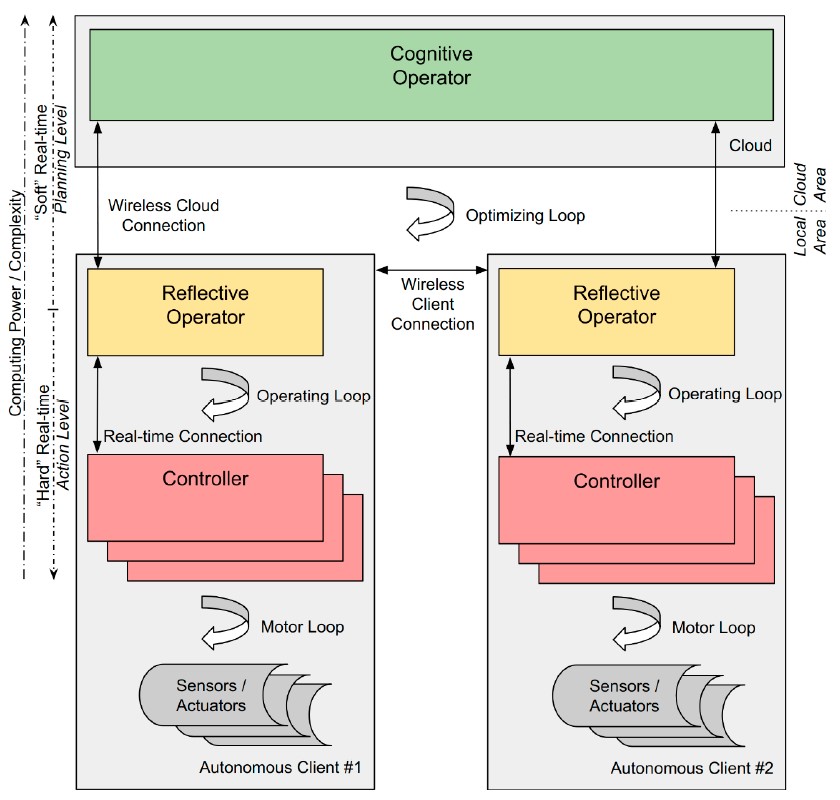
Components of a ROC
RPA Platform: UiPath, Blue Prism, Automation Anywhere, etc.
Bot Agents: Execute tasks on endpoints.
Orchestrator/Controller: Assigns, schedules, and logs bot tasks.
Complex Setup: Integration with existing tools is non-trivial.
Alert Fatigue: False positives in bot failure alerts.
Cost: Enterprise-grade ROC tools can be expensive.
Skill Gap: Requires RPA + DevSecOps knowledge.
🛡 Best Practices & Recommendations
Security Tips
Use secure credential vaults.
Apply RBAC and enforce MFA for ROC admins.
Monitor bot behavior for anomalous access patterns.
Performance & Maintenance
Archive old logs to reduce dashboard clutter.
Auto-restart failed bots based on failure patterns.
Schedule periodic health checks.
Compliance Alignment
Integrate with GRC tools (e.g., RSA Archer).
Automate policy violation alerts and audit trails.
Automation Ideas
Auto-remediation workflows for common bot failures.
Dynamic scaling of bot workers using cloud-native autoscaling.
⚖️ Comparison with Alternatives
Feature
ROC (e.g., UiPath ROC)
ELK/Grafana Alone
ITSM Platforms
RPA Integration
✅
❌
❌
Bot Security Management
✅
❌
❌
Alerting & Automation
✅
⚠️ (manual setup)
✅
Compliance Dashboards
✅
❌
✅
DevSecOps Alignment
✅
⚠️
⚠️
When to Use ROC
When managing multiple bots across departments
When compliance and visibility are critical
When you need incident management + automation in one pane
🔚 Conclusion
The Robotics Operations Center (ROC) is a powerful practice and platform that merges robotic automation, observability, and security under the DevSecOps umbrella. It not only enhances automation resilience but also ensures that digital workers operate within safe, auditable, and compliant frameworks.
Modern digital markets move fast, and businesses in Japan must release software quickly to remain competitive. However, many enterprise leaders face severe tech skill shortages within their…
Introduction Nobody prepares you for how overwhelming fertility research can feel. One day you’re hopeful. The next, you’re drowning in unfamiliar terms and mismatched numbers. Every source…
Hyderabad never sits still. The city buzzes with new cafes, live shows, and weekend fun. But this fast pace makes planning tricky. You blink, and a great…
Introduction Programming a robot feels a lot like giving directions to a helpful friend. You write down clear steps, and the machine follows them one by one….