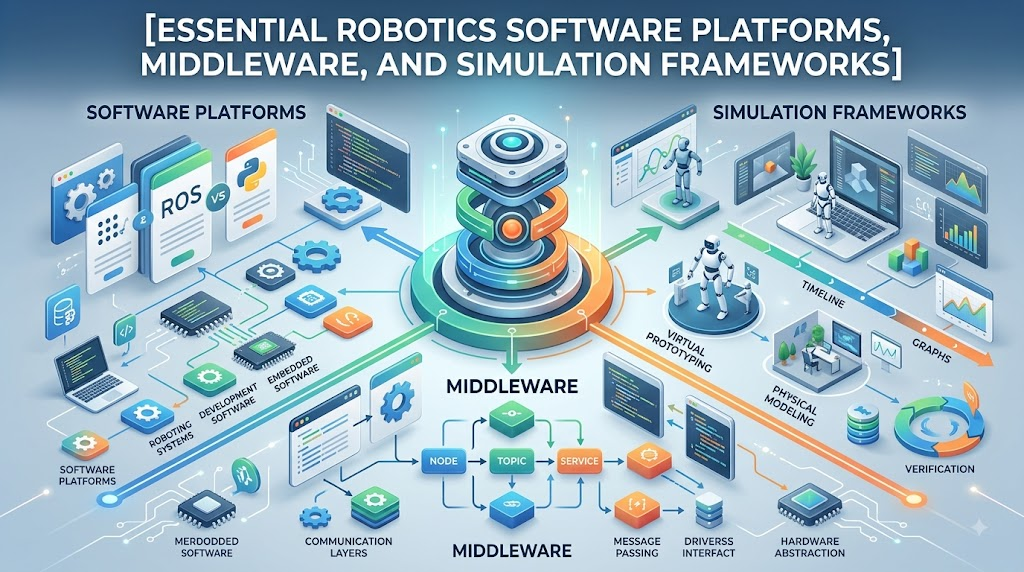
Introduction
On its own, that hardware is just an expensive collection of metal, silicon, and wire. Without software, the cameras cannot interpret pixels, the motors have no motion targets, and the robot has no way to interact with the world. Developing these interconnected layers from scratch for every single project is impractical. This is where robotics software platforms come in. They provide the software scaffolding, communications middleware, mathematical libraries, simulation engines, and developer toolkits needed to build, test, simulate, and operate intelligent machines. In this guide, you will explore the full robotics software stack, investigate industry-standard frameworks like ROS 2 and Gazebo, understand how perception and navigation pipelines operate, and follow a practical roadmap to launch your robotics software journey. You can explore additional guides on modern robotic architectures at RobotsOps.com.
6. What Is a Robotics Software Platform?
A robotics software platform is an integrated ecosystem of software frameworks, drivers, middleware, libraries, developer utilities, and simulation suites designed to streamline the programming and control of robotic hardware.
Rather than treating a robot as a single monolithic script, a robotics software platform organizes software into modular, interoperable components. It standardizes the fundamental data loop that governs all autonomous behavior:
$$\text{Sensors} \longrightarrow \text{Software Processing} \longrightarrow \text{Decision Making} \longrightarrow \text{Control Logic} \longrightarrow \text{Actuators}$$
+-----------------------------------------------------------------------------+
|                      ROBOTICS SOFTWARE CORE DATA LOOP                       |
|                                                                             |
|   [Sensors]  -->  [Software Layer]  -->  [Decision]  -->  [Control]         |
|   (Raw Data)      (Filter / Fusion)     (Path Planning)  (PWM / Velocity)   |
|                                                                 |           |
|                                                                 v           |
|                                                           [Actuators]       |
|                                                           (Hardware Motion) |
+-----------------------------------------------------------------------------+
Because robots vary wildly in form and function, architectures differ based on:
- Purpose: An autonomous warehouse rover has different computational constraints than a surgical manipulator or an agricultural drone.
- Hardware Complexity: Microcontrollers running real-time bare-metal firmware differ from onboard multi-core computers running Linux.
- Operating Environment: Controlled indoor floorplans require different software assumptions than dynamic, GPS-denied underground tunnels.
- Autonomy Level: Teleoperated exploration rovers need low-latency video streaming, while fully autonomous delivery bots require onboard localization and fallback routines.
7. Why Do Robots Need Software Platforms?
Early robotics engineering often required building everything from the ground up: low-level device drivers, network protocols, matrix transformation solvers, and motor control loops. This approach slowed development and made code difficult to port between different robot models.
Robotics software platforms eliminate this duplication by providing reusable, thoroughly tested functional blocks for:
- Sensor communication: Unified drivers for LiDARs, depth cameras, IMUs, and encoders.
- Coordinate transformations: Computing spatial relationships between moving joints and reference frames.
- Localization and mapping: Estimating where the robot is located and generating 2D/3D maps.
- Motion planning: Calculating collision-free paths around static and dynamic obstacles.
- Simulation and testing: Validating control algorithms in physics-backed virtual worlds before running them on physical hardware.
- Telemetry and fleet management: Tracking runtime health, battery states, and system logs across deployments.
By building on proven platforms, development teams can skip standard plumbing and focus directly on core application logic and system reliability.
8. Understanding the Robotics Software Stack
A complete robotics software architecture is structured in hierarchical layers. Each layer handles a distinct responsibility, passing data up and down through well-defined interfaces.
+-----------------------------------------------------------------------------+
|                        ROBOTICS SOFTWARE STACK                              |
|                                                                             |
|   +---------------------------------------------------------------------+   |
|   | 7. APPLICATION LAYER     (Fleet Ops, Warehouse Missions, Sorting)   |   |
|   +---------------------------------------------------------------------+   |
|   | 6. CONTROL LAYER         (PID Loops, Inverse Kinematics, Motor PWM) |   |
|   +---------------------------------------------------------------------+   |
|   | 5. PLANNING LAYER        (Global/Local Pathfinders, Behavior Trees) |   |
|   +---------------------------------------------------------------------+   |
|   | 4. PERCEPTION LAYER      (Object Detection, Sensor Fusion, SLAM)    |   |
|   +---------------------------------------------------------------------+   |
|   | 3. MIDDLEWARE LAYER      (DDS, ROS 2 Node Graphs, Pub/Sub Messaging)|   |
|   +---------------------------------------------------------------------+   |
|   | 2. DRIVER LAYER          (USB/CAN/Serial Interfaces, Device Drivers)|   |
|   +---------------------------------------------------------------------+   |
|   | 1. HARDWARE LAYER        (Microcontrollers, Motors, Sensors, GPUs)  |   |
|   +---------------------------------------------------------------------+   |
+-----------------------------------------------------------------------------+
Hardware Layer
The physical foundation of the robot. This includes microcontrollers, single-board computers, GPUs, sensors (LiDAR, cameras, IMUs), motors, gearboxes, batteries, and safety interlocks.
Driver Layer
Low-level code that translates raw hardware signals (sent over serial, USB, I2C, SPI, or CAN bus) into structured data packets that higher-level software can interpret.
Middleware Layer
The communication fabric. It routes messages, sensor packets, and control setpoints across separate programs, processor cores, or networked onboard computers.
Perception Layer
The interpretive engine. It ingests raw sensor data (such as RGB images, point clouds, or inertial readings) and extracts structured environmental models, detecting obstacles, identifying landmarks, and filtering out sensor noise.
Planning Layer
The strategic brain. Using perception outputs and a goal state, this layer decides what the robot should do next—such as computing a collision-free path or sequencing an arm’s pick-and-place routine.
Control Layer
The tactical executor. It translates planned paths and trajectories into precise motor commands (such as velocity setpoints or torque targets) using closed-loop feedback controllers.
Application Layer
The top-level operational logic. This layer implements the robot’s actual job, whether that is cleaning a floor, moving pallets across a warehouse, or inspecting power lines.
9. Major Robotics Software Platforms and Frameworks
9.1 ROS and ROS 2
The Robot Operating System (ROS) is the de facto standard framework for academic and commercial robotics development. ROS is not an operating system like Linux or Windows; it is an open-source software framework and middleware layer that runs on top of an underlying OS (typically Ubuntu Linux).
+-----------------------------------------------------------------------------+
|                          ROS 2 NODE COMMUNICATION GRAPH                     |
|                                                                             |
|   +------------------+         Topic: /scan         +-------------------+   |
|   |  LiDAR Node      | ---------------------------> | Localization Node |   |
|   |  (Publisher)     |      (Sensor Data Stream)    | (Subscriber)      |   |
|   +------------------+                              +-------------------+   |
|                                                               |             |
|                                    Service: /get_pose         |             |
|                                    <--------------------------+             |
|                                    --------------------------->             |
|                                                               v             |
|   +------------------+        Action: /navigate_to  +-------------------+   |
|   | Path Planner     | <=========================== | Navigation Master |   |
|   | (Action Server)  |    (Long-Running Goal w/     | (Action Client)   |   |
|   +------------------+        Continuous Feedback)  +-------------------+   |
+-----------------------------------------------------------------------------+
- Nodes: Independent processes that perform specific computations (e.g., one node reads a camera, another computes localization).
- Topics: Named data buses over which nodes stream messages asynchronously using a Publisher/Subscriber model.
- Services: Synchronous request/response communication channels for quick point-to-point operations.
- Actions: Asynchronous, goal-oriented communication patterns with continuous feedback and cancellation capabilities (ideal for long-running navigation tasks).
- Packages: Standardized organizational units containing nodes, configuration files, launch scripts, and dependencies.
Why ROS 2? While ROS 1 proved invaluable for research, its centralized master node architecture lacked real-time guarantees and enterprise-grade security. ROS 2 replaced this with the Data Distribution Service (DDS) standard. This provides decentralized discovery, configurable Quality of Service (QoS) for lossy wireless networks, native security encryption, and support for real-time operating systems.
9.2 Gazebo and Robotics Simulation
Gazebo is a standalone 3D physics simulator widely used in robotics. It allows developers to place virtual robot models inside simulated worlds with configurable gravity, friction, lighting, and physical obstacles.
Gazebo simulates sensor data (cameras, LiDAR, contacts) and exposes identical communication interfaces as physical hardware. This enables developers to test navigation, manipulation, and control algorithms safely on a laptop before running code on an expensive physical robot.
9.3 NVIDIA Isaac Ecosystem
The NVIDIA Isaac platform is a hardware-accelerated suite designed for AI-driven and perception-heavy robotics. It leverages GPU computing to handle high-bandwidth camera pipelines, photorealistic simulation, synthetic data generation, and deep reinforcement learning.
- Isaac Sim: A physics and photorealistic simulation platform powered by Omniverse, useful for training vision models and generating synthetic edge cases.
- Isaac ROS: A collection of hardware-accelerated ROS 2 packages that offload compute-intensive tasks (like visual SLAM and stereo depth estimation) to onboard GPU hardware.
9.4 MATLAB and Simulink
MATLAB and Simulink by MathWorks provide a model-based development environment widely used in aerospace, automotive, and industrial robotics.
Engineers use Simulink to model multi-body dynamics, design advanced control loops (such as Model Predictive Control), simulate physical systems, and automatically generate production-ready C/C++ code. It provides deep toolboxes for kinematic modeling, path planning, and direct ROS 2 network integration.
9.5 Webots
Webots is an open-source, user-friendly robot simulation environment developed by Cyberbotics. It includes a built-in library of sensors, actuators, and pre-configured robot models (mobile bases, humanoids, industrial arms). With its lightweight installation, direct support for C, C++, Python, and ROS 2, and clean scene tree editor, Webots is especially popular in robotics education and rapid prototyping.
9.6 Other Robotics Development Frameworks
- MoveIt (MoveIt 2): The standard motion planning framework in the ROS ecosystem, used for arm kinematics, trajectory generation, and collision checking.
- OpenCV: The open-source computer vision library used for image filtering, edge detection, feature tracking, and visual perception.
- PCL (Point Cloud Library): A standalone framework for processing 3D point cloud data from LiDAR and RGB-D depth sensors.
- PyBullet / MuJoCo: Fast, physics-accurate simulation engines commonly used for contact-rich dynamics and reinforcement learning research.
- PX4 & ArduPilot: Specialized, open-source autopilot software stacks used globally for autonomous drones, fixed-wing aircraft, and ground rovers.
10. Robotics Software Platforms Comparison
| Platform / Framework | Main Purpose | Best Known For | Beginner Friendliness | Typical Use Case |
| ROS 2 | Middleware & Software Integration | Distributed node architecture, ecosystem support, standard messaging | Moderate (Linux knowledge recommended) | Mobile robots, research platforms, industrial robotics |
| Gazebo | 3D Rigid-Body Physics Simulation | High compatibility with ROS/ROS 2, realistic sensor simulation | Moderate | Testing navigation and sensor pipelines in virtual environments |
| NVIDIA Isaac | AI & Accelerated Perception | GPU-accelerated vision, photorealistic synthetic data | Advanced | High-end perception, vision AI, deep reinforcement learning |
| MATLAB / Simulink | Model-Based Control Design | Mathematical modeling, control theory, auto-code generation | Moderate to High | Complex control design, kinematics, industrial R&D |
| Webots | Lightweight Robot Simulation | Easy setup, pre-built robot models, fast prototyping | High (Excellent for beginners) | Education, quick algorithm validation, multi-robot setups |
| MoveIt 2 | Manipulation & Motion Planning | Inverse kinematics, obstacle avoidance, trajectory execution | Moderate to Advanced | Robotic arms, pick-and-place, CNC/machining tasks |
| OpenCV | Computer Vision & Image Processing | Feature extraction, object tracking, image transformation | High (with Python) | Visual perception, camera calibration, object detection |
11. Robotics Middleware Explained
In a complex robot, multiple independent processes run simultaneously. A camera node captures high-frame-rate video, a perception module identifies obstacles, a localization filter estimates position, and a motor driver generates low-level wheel commands.
Robotics middleware is the connective software fabric that lets these independent components exchange data seamlessly without needing hardcoded network addresses or proprietary data formats.
+-----------------------------------------------------------------------------+
|                      MIDDLEWARE COMMUNICATION FLOW                          |
|                                                                             |
|   [Camera Sensor]                                                           |
|          | (Raw Image Message)                                              |
|          v                                                                  |
|   [Perception Node]                                                         |
|          | (Detected Obstacle Coordinates)                                  |
|          v                                                                  |
|   [Navigation Node]                                                         |
|          | (Target Velocity Commands: linear/angular)                       |
|          v                                                                  |
|   [Motor Controller]                                                        |
+-----------------------------------------------------------------------------+
Middleware abstractions typically provide:
- Anonymous Publish/Subscribe: Publishers broadcast data on named channels (e.g.,
/camera/image_raw), and any interested node can subscribe to that channel without the publisher knowing who is listening. - Standardized Data Schemas: Messages (such as timestamps, 3D vectors, quaternions, or laser scans) follow strictly defined structures.
- Hardware Abstraction: Higher-level navigation algorithms work with standard velocity commands (
geometry_msgs/Twist), regardless of whether the physical robot runs on differential drive wheels, an omnidirectional base, or four-legged tracks.
12. Robotics Simulation Platforms & Sim-to-Real Challenges
Simulation allows engineers to test algorithms across thousands of edge cases, automate continuous integration tests, and train machine learning models without risking mechanical damage or human injury.
+-----------------------------------------------------------------------------+
|                       SIM-TO-REAL DEVELOPMENT CYCLE                         |
|                                                                             |
|   +---------------------------------------------------------------------+   |
|   | 1. DESIGN & VIRTUAL TESTING (Gazebo / Webots Simulation)            |   |
|   |    - Validate logic, pathfinding, and kinematics safely             |   |
|   +---------------------------------------------------------------------+   |
|                                     |                                       |
|                                     v                                       |
|   +---------------------------------------------------------------------+   |
|   | 2. SIM-TO-REAL GAP MITIGATION                                       |   |
|   |    - Inject sensor noise, latency models, and friction variation    |   |
|   +---------------------------------------------------------------------+   |
|                                     |                                       |
|                                     v                                       |
|   +---------------------------------------------------------------------+   |
|   | 3. PHYSICAL VALIDATION & TUNING                                     |   |
|   |    - Deploy to hardware, benchmark real-world error, adjust params  |   |
|   +---------------------------------------------------------------------+   |
+-----------------------------------------------------------------------------+
However, software that works inside a virtual world rarely works out-of-the-box on physical hardware. This discrepancy is known as the Sim-to-Real Gap.
Key reasons for the Sim-to-Real Gap include:
- Sensor Noise & Distortion: Physical cameras suffer from motion blur, rolling shutter artifacts, and lighting glare; physical LiDAR beams deal with dust, surface reflectivity changes, and multi-path reflections.
- Physics & Friction Approximations: Simulators approximate contact physics using discrete time-steps. Small discrepancies in wheel slip, gear backlash, structural flex, and floor friction accumulate over time.
- Communication Latency: Simulated buses transmit packets near-instantly, whereas physical CAN, serial, or wireless links experience transport delays and jitter.
- Hardware Imperfections: Real battery voltages drop under load, electric motors have minor winding variations, and mechanical linkages have manufacturing tolerances.
Engineers mitigate these gaps by using domain randomization (randomizing friction, lighting, and masses during simulation) and validating incrementally on real hardware.
13. Robotics Software for Perception
Perception converts raw physical sensor streams into actionable models of the environment.
+-----------------------------------------------------------------------------+
|                        ROBOT PERCEPTION PIPELINE                            |
|                                                                             |
|   [Camera / LiDAR] --> [Noise Filtering] --> [Segmentation & Detection]     |
|                              |                          |                   |
|                              v                          v                   |
|                    [Sensor Fusion (EKF)] --> [3D World Representation]      |
+-----------------------------------------------------------------------------+
Key sensor modalities include:
- RGB & Depth Cameras: Provide color textures and per-pixel distance measurements.
- LiDAR (Light Detection and Ranging): Fires pulsed lasers to generate 2D or 3D point clouds of the surrounding geometry.
- Inertial Measurement Units (IMUs): Measure angular velocity and linear acceleration to track motion between sensor frames.
- Wheel Encoders: Count wheel revolutions to estimate travel distance via dead reckoning.
Standard perception tasks include:
- Filtering and Downsampling: Removing outliers and reducing dense point clouds using voxel grids.
- Object Detection & Semantic Segmentation: Identifying and classifying targets (e.g., pedestrians, pallets, doorways) using computer vision libraries like OpenCV or neural network models.
- Sensor Fusion: Combining data from multiple complementary sensors (such as an IMU and wheel encoders using an Extended Kalman Filter) to produce an accurate, drift-resistant state estimate.
14. Robotics Software for Navigation
Navigation software enables mobile robots to travel from a starting position to a destination safely without colliding with obstacles.
+-----------------------------------------------------------------------------+
|                        MOBILE ROBOT NAVIGATION STACK                        |
|                                                                             |
|   [Sensors] --> [SLAM / Localization] --> [Global Path Planner (A*/Dijkstra)]
|                         |                               |                   |
|                         v                               v                   |
|                  [Costmap Updates]  -----> [Local Planner / DWA Controller] |
|                                                         |                   |
|                                                         v                   |
|                                                [Motor Velocity (cmd_vel)]   |
+-----------------------------------------------------------------------------+
The core navigation cycle follows five connected steps:
- Mapping: Creating a spatial representation of the area using SLAM (Simultaneous Localization and Mapping).
- Localization: Determining the robot’s current coordinates within that map (e.g., via particle filters or Adaptive Monte Carlo Localization – AMCL).
- Global Path Planning: Computing the shortest, safest geometric path from current location to target coordinate using search algorithms (like $A^*$ or Dijkstra).
- Local Trajectory Planning: Monitoring immediate surroundings via real-time costmaps and dynamically steering around moving obstacles (using algorithms like Dynamic Window Approach or TEB Local Planner).
- Motion Control: Outputting velocity setpoints (linear velocity $v$, angular velocity $\omega$) to motor controllers.
Example: Warehouse Autonomous Mobile Robot (AMR)
When an AMR receives an order to fetch a shelf, it queries its localization module to confirm its starting coordinates. The global planner generates an optimized route down aisle 4. If a human unexpectedly steps into the aisle, the local planner detects the obstacle on its 2D LiDAR costmap, slows the base, plans an evasive detour around the person, and rejoins the global route once clear.
15. Robotics Software for Manipulation
Robotic arms and articulated manipulators rely on specialized manipulation software to interact with objects.
+-----------------------------------------------------------------------------+
|                      MANIPULATION WORKFLOW (MOVEIT)                         |
|                                                                             |
|   [Perception: Locate Target]                                               |
|          |                                                                  |
|          v                                                                  |
|   [Inverse Kinematics: Calculate Joint Angles for Target Pose]              |
|          |                                                                  |
|          v                                                                  |
|   [Motion Planner: Generate Collision-Free Joint Trajectories]              |
|          |                                                                  |
|          v                                                                  |
|   [Trajectory Controller: Send Interpolated Commands to Joint Motors]       |
|          |                                                                  |
|          v                                                                  |
|   [Gripper Controller: Actuate End-Effector]                                |
+-----------------------------------------------------------------------------+
Key manipulation concepts include:
- Forward Kinematics (FK): Calculating the Cartesian position and orientation of the end-effector (gripper) given known joint angles.
- Inverse Kinematics (IK): Calculating the required joint angles to position the gripper at a specific $(x, y, z)$ point in space with a specific orientation.
- Motion Planning: Finding a trajectory that moves the arm from configuration $A$ to configuration $B$ without any arm link colliding with obstacles, workspace tables, or itself (often using Sampling-based algorithms like RRT or PRM via MoveIt).
- Gripper Control: Modulating force, current, and pneumatic pressure to grasp objects securely without crushing them.
16. AI and Machine Learning in Robotics Software
Artificial intelligence enhances modern robotics software by handling unstructured environments where explicit, rule-based algorithms struggle.
+-----------------------------------------------------------------------------+
|                   AI INTEGRATION IN ROBOTICS SOFTWARE                       |
|                                                                             |
|   +---------------------------------------------------------------------+   |
|   | CLASSICAL ROBOTICS ENGINE                                           |   |
|   | (Kinematics, Safety Interlocks, Motor PID, Collision Validation)    |   |
|   +---------------------------------------------------------------------+   |
|                                     ^                                       |
|                                     | Supervised Commands & Bounding Boxes  |
|                                     v                                       |
|   +---------------------------------------------------------------------+   |
|   | AI & MACHINE LEARNING MODULES                                       |   |
|   | (Visual Perception, Neural Object Recognition, RL Task Policies)    |   |
|   +---------------------------------------------------------------------+   |
+-----------------------------------------------------------------------------+
Key integration areas include:
- Vision & Object Recognition: Deep convolutional networks and vision transformers identify, segment, and estimate 6D poses of objects under varying lighting.
- Autonomous Grasp Synthesis: AI models evaluate raw depth images to predict stable grasp points on novel, irregular objects.
- Reinforcement Learning (RL): Training control policies in fast simulations (running millions of parallel steps) to learn dynamic locomotion for quadrupedal or bipedal robots.
- Predictive Maintenance: Analyzing motor vibration, current draw, and temperature patterns over time to predict mechanical failures before they occur.
Important Note: AI does not replace core robotics engineering. Reliable production robots use hybrid designs: AI handles high-level perception, vision, and semantic reasoning, while classical, deterministic control loops handle safety-critical execution, kinematics, and motor stabilization.
17. Robotics Programming Languages
| Language | Primary Role in Robotics | Strengths | Common Frameworks & Tools |
| Python | Prototyping, Scripting, AI, High-Level Logic | Rapid development, vast ecosystem of ML/math libraries, easy syntax | ROS 2 (rclpy), OpenCV, PyTorch, PyBullet |
| C++ | Real-Time Control, Low-Level Drivers, High Performance | Deterministic execution, low memory overhead, high computational speed | ROS 2 (rclcpp), MoveIt, PCL, Gazebo Plugins |
| MATLAB | Algorithm Design, Control Engineering, Dynamic Modeling | Advanced mathematical tools, built-in dynamic solvers, auto-generation of C/C++ | Simulink, Robotics System Toolbox |
- Python is the language of choice for beginners, researchers, and data scientists. It is ideal for writing high-level nodes, orchestrating tasks, and running computer vision or AI inference.
- C++ powers performance-critical layers: point-cloud processing, real-time motor control loops, trajectory optimization, and embedded systems where execution latency must be minimized.
- Rust is also gaining interest for robotics middleware and embedded drivers due to its strict memory safety guarantees without garbage-collection pauses.
18. Robotics Software Testing
Because robots move through physical spaces and interact with people, software defects can cause hardware damage or safety hazards. Thorough multi-stage testing is critical.
+-----------------------------------------------------------------------------+
|                        ROBOTICS SOFTWARE TEST PYRAMID                       |
|                                                                             |
|                               /  Field Tests  \                             |
|                              /   (Real World)  \                            |
|                             /-------------------\                           |
|                            /   Hardware-in-Loop  \                          |
|                           /-----------------------\                         |
|                          /   Simulation Integration\                        |
|                         /---------------------------\                       |
|                        /     Unit & Node Testing     \                      |
|                       /-------------------------------\                     |
+-----------------------------------------------------------------------------+
- Unit Testing: Testing isolated functions (e.g., validating that an inverse kinematics solver outputs correct angles for known coordinate inputs).
- Integration Testing: Verifying communication between paired nodes over ROS topics or middleware services.
- Simulation Testing: Executing automated missions in Gazebo or Webots within automated CI/CD pipelines to catch regression bugs.
- Hardware-in-the-Loop (HIL) Testing: Connecting the compiled software to physical microcontrollers and motor drivers on a test bench without the mechanical chassis.
- Field Testing: Running the robot through structured real-world scenarios under human supervision with physical hardware e-stops ready.
19. Robotics Software Deployment
Moving code from a developer’s workstation to a physical robot requires structured deployment practices:
$$\text{Develop} \longrightarrow \text{Simulate} \longrightarrow \text{Automated CI Build} \longrightarrow \text{Containerized Package} \longrightarrow \text{Edge Deployment} \longrightarrow \text{Telemetry Monitoring}$$
Key deployment practices include:
- Containerization (Docker): Packaging the robotics software stack, ROS 2 workspace, system libraries, and GPU configurations into reproducible containers. This eliminates “works on my machine” dependency mismatches on the robot’s onboard computer.
- Configuration Management: Keeping robot-specific calibration files, camera matrices, and PID gains separate from base application binaries.
- Over-the-Air (OTA) Updates & Rollbacks: Deploying versioned software bundles remotely with automated fallback mechanisms that revert to a safe, known state if a new update fails health checks.
20. Robot Fleet Management Software
Operating dozens or hundreds of autonomous robots in an enterprise environment requires a centralized orchestration layer above individual robot software stacks.
+-----------------------------------------------------------------------------+
|                     ENTERPRISE FLEET ARCHITECTURE                           |
|                                                                             |
|                       +-------------------------+                           |
|                       | Fleet Management Server |                           |
|                       | (Task Dispatch & Maps)  |                           |
|                       +-------------------------+                           |
|                                    |                                        |
|             +----------------------+----------------------+                 |
|             | (Wi-Fi / 5G Link)    | (Wi-Fi / 5G Link)    |                 |
|             v                      v                      v                 |
|      +-------------+        +-------------+        +-------------+          |
|      | Robot AMR 1 |        | Robot AMR 2 |        | Robot AMR 3 |          |
|      +-------------+        +-------------+        +-------------+          |
+-----------------------------------------------------------------------------+
Fleet management platforms handle:
- Task Allocation: Dynamically assigning incoming jobs (e.g., “Transport Pallet A to Dock 3”) to the nearest available, adequately charged robot.
- Traffic Control: Managing intersections, narrow hallways, and charging bay queues to prevent gridlock.
- State of Charge (SoC) Management: Monitoring battery levels and dispatching robots to charging stations during operational lulls.
- Centralized Telemetry: Collecting system health alerts, motor temperature logs, and safety stop events across the fleet.
21. Cloud and Edge Computing in Robotics
Robotics systems rely on a hybrid balance between onboard (edge) processing and centralized cloud infrastructure.
+-----------------------------------------------------------------------------+
|                         EDGE VS. CLOUD RESPONSIBILITIES                     |
|                                                                             |
|   +-------------------------------------+  +----------------------------+   |
|   | ROBOT EDGE COMPUTING (Onboard)      |  | CLOUD INFRASTRUCTURE       |   |
|   | - Low-latency Motor Control (<10ms) |  | - Long-term Data Analytics |   |
|   | - Obstacle Avoidance & Reflexes     |  | - Neural Network Training  |   |
|   | - Real-time Localization            |  | - Fleet-wide Map Merging   |   |
|   | - Operates offline without internet |  | - Centralized Dashboards   |   |
|   +-------------------------------------+  +----------------------------+   |
+-----------------------------------------------------------------------------+
- Edge Computing (Onboard the Robot): Safety-critical operations must run locally on the robot’s onboard computer (e.g., x86 single-board computers or NVIDIA Jetson modules). If a Wi-Fi connection drops, the robot must still be able to detect obstacles, maintain balance, and stop safely.
- Cloud Infrastructure (Offboard Servers): The cloud handles compute-heavy, non-real-time jobs: aggregating fleet performance logs, training new machine learning models on collected field data, updating global facility maps, and hosting supervisory dashboards.
22. Hypothetical Example: Building a Simple Mobile Robot
To understand how these pieces fit together, let us examine a hypothetical beginner project: building a two-wheeled differential drive rover that navigates an indoor room while avoiding obstacles.
+-----------------------------------------------------------------------------+
|               HYPOTHETICAL MOBILE ROVER SOFTWARE DATA FLOW                  |
|                                                                             |
|   [2D LiDAR Sensor] ---------> [/scan Topic] -------------> [Cartographer]  |
|                                                                    |        |
|   [Wheel Encoders]  ---------> [/odom Topic] ------+               v        |
|                                                   |         [Occupancy Map] |
|                                                   v                |        |
|                                           [Robot Localization]     |        |
|                                                   |                |        |
|                                                   +--------+-------+        |
|                                                            |                |
|                                                            v                |
|   [Target Goal: (x, y)] ----------------------------> [Nav2 Planner]        |
|                                                            |                |
|                                                            v                |
|   [Motor Controllers] <-------- [/cmd_vel Topic] <---------+                |
+-----------------------------------------------------------------------------+
(Note: This scenario is a hypothetical educational walkthrough to illustrate software architecture.)
1. Software Components Setup
- Operating System: Ubuntu Linux running on a single-board computer (such as a Raspberry Pi or Jetson Nano).
- Middleware: ROS 2 installed as the core communication layer.
- Sensor Drivers: A ROS 2 driver node reading a 2D USB LiDAR and broadcasting
/scanmessages; a microcontroller driver reading wheel encoders and publishing/odom. - Perception & Mapping: A SLAM package (e.g., Cartographer or
slam_toolbox) that ingests/scanand/odomto build a 2D occupancy grid map. - Navigation Engine: The ROS 2 Navigation Stack (Nav2) to handle global path generation and local dynamic obstacle avoidance.
- Motor Control: A base controller node that subscribes to
/cmd_vel(linear and angular velocity targets) and calculates individual left/right wheel speeds for the motor driver.
2. Simulation & Development
Before touching physical hardware, the student builds a URDF (Unified Robot Description Format) model defining the robot’s dimensions, wheel placement, and sensor locations. They load this URDF into Gazebo or Webots, spawn a virtual room, and verify that the robot maps the virtual room and navigates smoothly without getting stuck.
3. Deployment & Physical Testing
The compiled ROS 2 packages and configuration launch files are deployed to the physical onboard computer. Testing proceeds systematically:
- Place the rover on a test stand (wheels off the ground) and verify that sending a
/cmd_velcommand turns the wheels forward. - Place the rover on the floor and drive it via keyboard teleoperation to confirm encoder odometry tracking.
- Launch SLAM to build a map of the room.
- Launch Nav2, select a destination point on the map, and watch the rover navigate to the goal autonomously while avoiding intervening furniture.
23. Common Beginner Mistakes (and How to Avoid Them)
- Starting with Advanced AI Before Robotics Basics: Beginners often try training end-to-end deep reinforcement learning models before understanding basic coordinate systems, kinematics, or ROS topics. Fix: Master standard kinematics and core ROS 2 communication first.
- Building Everything from Scratch: Writing custom serialization protocols, network layers, or matrix math libraries slows progress. Fix: Use proven frameworks like ROS 2, OpenCV, and MoveIt.
- Skipping Simulation: Testing experimental pathfinding directly on physical hardware leads to crashed chassis and broken motor mounts. Fix: Test and debug edge cases in Gazebo or Webots before powering up physical hardware.
- Neglecting Sensor Characterization: Assuming sensor readings are clean and absolute leads to brittle code. Fix: Inspect raw sensor streams, account for sensor noise, and implement appropriate filters.
- Ignoring Coordinate Frames (TF2): Forgetting that a camera detection is relative to the camera optical frame, not the robot base or world map. Fix: Use the ROS 2 TF2 transform library to manage spatial relationships cleanly.
- Skipping Multi-Level Testing: Writing hundreds of lines of code and running them on the robot all at once makes bugs hard to isolate. Fix: Test nodes individually with mock data before running full-system integration.
- Using the Wrong Tool for the Task: Attempting to run high-rate ($1000\text{ Hz}$) motor PID loops in high-level Python over non-real-time USB connections. Fix: Run high-speed control on dedicated microcontrollers in C/C++; run high-level orchestration in Python or C++.
- Ignoring Hardware & Battery Limitations: Designing computational pipelines that overload the onboard CPU/GPU or cause voltage sags when motors accelerate. Fix: Profile CPU, GPU, and memory utilization; use dedicated battery power for logic boards.
- Writing Monolithic Spaghetti Code: Bundling sensor drivers, path planning, and UI code into a single, massive script. Fix: Structure applications into modular, single-responsibility nodes.
- Expecting Perfect Sim-to-Real Alignment: Assuming a robot that navigated a simulated world will work identically on slippery real-world floors. Fix: Add noise to simulated sensors, randomize friction, and plan for physical calibration.
24. Best Practices for Robotics Software Development
- 1. Define Clear Operational Goals: Specify the exact operational envelope (speed limits, obstacle tolerances, operating surfaces) before writing code.
- 2. Master the Hardware Constraints: Know the torque limits, encoder resolutions, sensor fields-of-view, and thermal budgets of your physical platform.
- 3. Build Modularity into Architecture: Design every node as an interchangeable module with standard message interfaces.
- 4. Use Version Control Consistently: Maintain strict Git branching strategies and tag working software builds with their corresponding hardware/wiring revisions.
- 5. Leverage Simulation in Continuous Integration: Set up automated CI pipelines that run simulated regression tests on every pull request.
- 6. Decouple Parameters from Logic: Store physical dimensions, PID gains, and topic names in YAML configuration files rather than hardcoding them in source files.
- 7. Implement Structured Logging: Use framework logging tools (
RCLCPP_INFO,RCLCPP_WARN,RCLCPP_ERROR) with clear timestamps and subsystem tags instead of arbitrary print statements. - 8. Monitor System Diagnostics: Build diagnostic publishers to monitor node heartbeats, sensor dropouts, CPU temperatures, and loop execution rates.
- 9. Design for Failures & Safe States: Ensure that if a sensor disconnects or communication drops, the control layer immediately transitions to a safe stop or emergency brake.
- 10. Validate on Hardware Incrementally: Move from unit tests to bench tests, low-speed tethered tests, and finally untethered autonomous runs.
- 11. Document Spatial Transforms & Topics: Maintain clear documentation of coordinate frame trees (TF diagrams), topic names, and message schemas for your system.
- 12. Prioritize Physical Safety: Always include accessible, hardware-level emergency stop (E-stop) switches that cut actuator power independently of software state.
25. How to Choose a Robotics Software Platform
Selecting the right software tools depends on your specific hardware, performance requirements, and engineering objectives.
+-----------------------------------------------------------------------------+
|                      PLATFORM SELECTION DECISION TREE                       |
|                                                                             |
|   What is your primary development objective?                               |
|                                                                             |
|   +-- Complete Integration & Multi-Node System  -->  [ ROS 2 ]              |
|   +-- Control Engineering & Mathematical Design -->  [ MATLAB / Simulink ]  |
|   +-- Drone / Autopilot System                  -->  [ PX4 / ArduPilot ]    |
|   +-- Robotic Arm Manipulation                  -->  [ MoveIt 2 ]           |
|   +-- Physics Simulation & Environment Testing  -->  [ Gazebo / Webots ]    |
|   +-- Accelerated Vision & GPU Computing        -->  [ NVIDIA Isaac ]       |
+-----------------------------------------------------------------------------+
| Project Requirement / Focus | Recommended Platform / Tool Category | Why It Fits |
| System Middleware & Integration | ROS 2 | Industry-standard messaging, massive package ecosystem, strong community support |
| Virtual Prototyping & Physics Sim | Gazebo / Webots | High fidelity, pre-built sensor plugins, direct ROS 2 bridge integration |
| Computer Vision & Image Processing | OpenCV | Comprehensive library of optimized vision algorithms and broad language bindings |
| Robotic Arm Motion Planning | MoveIt 2 | Standard framework for kinematics, collision checking, and trajectory execution |
| Deep Learning & GPU Perception | NVIDIA Isaac Ecosystem | Hardware-accelerated neural inference, synthetic data generation, photorealism |
| Autonomous Flight (UAVs / Drones) | PX4 / ArduPilot | Mature flight stabilization, failsafes, waypoint navigation, and telemetry |
| Dynamic Systems & Control Theory | MATLAB & Simulink | Advanced matrix tooling, controller design toolboxes, auto-generation of C/C++ |
26. Beginner Roadmap for Learning Robotics Software
+-----------------------------------------------------------------------------+
|                     10-STEP ROBOTICS SOFTWARE ROADMAP                       |
|                                                                             |
|   [1. Programming]  --> [2. Fundamentals] --> [3. Sensors & Actuators]      |
|                                                           |                 |
|   [6. ROS 2 Basics] <-- [5. C++ Basics]   <-- [4. Python Scripting]         |
|         |                                                                   |
|         v                                                                   |
|   [7. Simulation]   --> [8. Perception/Nav] --> [9. Mini Projects]          |
|                                                           |                 |
|                                                           v                 |
|                                                 [10. Physical Hardware]     |
+-----------------------------------------------------------------------------+
- Step 1: Build Core Programming Foundations: Master variables, data structures, object-oriented programming, and terminal navigation on Linux (Ubuntu).
- Step 2: Learn Robotics Fundamentals: Study coordinate transformations, rotation representations (Euler angles, quaternions, rotation matrices), and basic kinematics.
- Step 3: Understand Sensors and Actuators: Learn how LiDARs, depth cameras, IMUs, quadrature encoders, stepper motors, and brushless servos operate physically.
- Step 4: Master Python for Robotics: Practice manipulating numerical data using NumPy, processing images with OpenCV, and managing asynchronous tasks.
- Step 5: Learn C++ Fundamentals: Understand pointers, references, memory management, the Standard Template Library (STL), and object-oriented design for performance-critical tasks.
- Step 6: Explore ROS 2 Core Concepts: Create a workspace, write custom Publisher/Subscriber nodes, build custom services, and manage launch files.
- Step 7: Practice in Simulation: Build a robot description file (URDF), launch it inside Gazebo or Webots, add virtual sensor plugins, and control it with your code.
- Step 8: Implement Perception and Navigation: Use OpenCV to detect visual targets; configure Nav2 to guide your simulated mobile base through a maze.
- Step 9: Build Small, Complete Projects: Create an end-to-end simulated project, such as a mobile delivery robot or an arm sorting colored blocks.
- Step 10: Deploy to Real Hardware: Port your simulated software onto an inexpensive physical platform (such as a 2-wheel mobile base or desktop robot arm) to experience real-world calibration, noise filtering, and hardware debugging.
27. The Role of RobotsOps.com
As autonomous systems move from academic research labs to commercial warehouses, construction sites, hospitals, and city streets, the complexity of developing, deploying, and maintaining robot software fleets grows exponentially.
Educational platforms like RobotsOps.com serve as a practical resource for engineers, developers, and robotics enthusiasts by exploring:
- Robotics Operations (RobOps): Best practices for managing continuous integration, automated deployment, containerization, and OTA updates across physical robot fleets.
- Architectural Guides: Clear explanations of modern middleware architectures, ROS 2 design patterns, and hardware-software integration.
- Navigation & Perception Workflows: Real-world breakdowns of SLAM configuration, costmap tuning, and sensor fusion implementations.
- Practical Automation: Insights into scaling robotic systems from initial simulation prototypes to production deployments.
Bridging the gap between pure academic theory and real-world industrial operations helps engineers build reliable, scalable autonomous systems.
28. The Future of Robotics Software Platforms
The robotics software landscape is evolving rapidly, driven by advances in artificial intelligence, cloud architectures, and computational hardware.
+-----------------------------------------------------------------------------+
|                      EMERGING TRENDS IN ROBOTICS SOFTWARE                   |
|                                                                             |
|   * Foundation Models & VLA (Vision-Language-Action) Models                 |
|   * Cloud Robotics & Centralized Fleet Orchestration                        |
|   * GPU-Accelerated Synthetic Data & High-Parallel Simulators               |
|   * Edge AI Accelerators for Real-Time Onboard Inference                    |
|   * Standardized Industrial Middleware & Enhanced Cybersecurity             |
+-----------------------------------------------------------------------------+
- Foundation Models and Vision-Language-Action (VLA) Models: Emerging research focuses on large multimodal models capable of translating natural-language instructions (e.g., “Find the empty cup and place it in the recycling bin”) directly into semantic goal representations and action sequences.
- Simulation-Driven Development & Generative Synthetic Data: Highly parallel, GPU-accelerated simulation engines allow robots to accumulate centuries of operating experience in hours, learning complex loco-manipulation policies in simulation before zero-shot transfer to reality.
- Cloud-Native Robotics Platforms: Standardized cloud-edge interfaces are making it easier to offload heavy fleet-wide mapping and route optimization to scalable cloud backends while preserving low-latency safety loops on the edge.
- Standardization and Security: As autonomous robots deploy in public and industrial spaces, future platforms place heavy emphasis on zero-trust network security, automated hardware attestation, and verifiable software safety certifications.
29. Frequently Asked Questions
What is a robotics software platform?
A robotics software platform is an integrated framework of libraries, communication middleware, drivers, and development tools that simplifies building, simulating, and controlling robotic systems.
What software do robots use?
Robots use a multi-layered software stack that typically includes an operating system (like Linux), communications middleware (like ROS 2), computer vision libraries (like OpenCV), simulation tools (like Gazebo), and custom application-level task logic.
What is ROS 2?
ROS 2 (Robot Operating System 2) is an open-source, modular software framework and middleware layer built on the DDS communication standard. It allows independent processes (nodes) to exchange data reliably in modern commercial and research robotics applications.
Is ROS an operating system?
No. Despite its name, ROS is not an operating system like Linux or Windows. It is a software framework and middleware suite that runs on top of a host operating system to handle communication, scheduling abstractions, and hardware driver integration.
Which programming language is best for robotics?
Python and C++ are the industry standards. Python is widely used for rapid prototyping, high-level task logic, and AI/machine learning integration. C++ is used for performance-critical tasks like real-time motor control, high-frequency filtering, and low-level drivers.
Why is simulation important in robotics?
Simulation allows developers to test algorithms, experiment with physical designs, and catch critical software bugs safely inside a virtual environment without risking hardware damage, human injury, or costly downtime.
What is robotics middleware?
Robotics middleware is the communication layer that enables different programs, sensor nodes, and computational modules across a robot to send and receive structured data without needing hardcoded connections.
How is AI used in robotics software?
AI is primarily used for high-level perception (object detection, depth estimation, semantic segmentation), grasp planning, dynamic reinforcement-learning-based locomotion, and predictive maintenance.
How can beginners learn robotics software?
Beginners should start by learning Python, basic Linux command-line operations, and foundational linear algebra. From there, they can explore ROS 2 tutorials, practice building virtual robots in simulators like Webots or Gazebo, and gradually move to small physical microcontroller projects.
What is the role of RobotsOps.com?
RobotsOps.com is an educational platform dedicated to robotics software, operations, workflow optimization, automation frameworks, and modern development practices, helping learners and professionals navigate practical robotics engineering.
