1. Introduction & Overview
What is Remote Robot Monitoring?
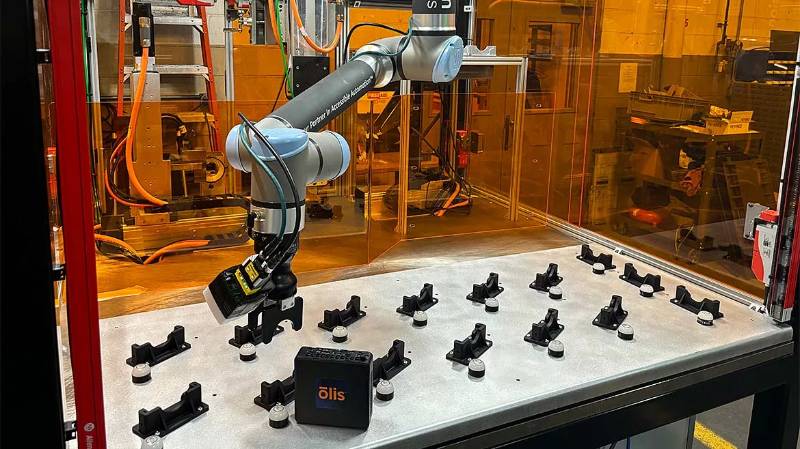
Remote Robot Monitoring refers to the ability to track, analyze, and control robots from a remote location using networked systems. It is a key capability in RobotOps (Robotics Operations), where operational excellence, uptime, and safety are critical.
It typically involves:
- Collecting real-time telemetry data (battery, sensors, movements, faults).
- Sending control signals remotely.
- Integrating monitoring with dashboards, alerts, and automation workflows.
History or Background
- Early robotics (1980s–1990s): Robots operated in isolated environments, with limited monitoring beyond local consoles.
- 2000s: Industrial automation adopted SCADA systems for monitoring machines, but not specifically robots.
- 2010s: IoT, cloud computing, and DevOps principles influenced the emergence of RobotOps, enabling remote robot health checks, predictive maintenance, and global fleet management.
- Today (2025): Cloud-based platforms, edge computing, and AI-driven monitoring are standard for autonomous drones, delivery robots, manufacturing bots, and medical robots.
Why is it Relevant in RobotOps?
Remote monitoring is critical for:
- Ensuring uptime of robots in production.
- Safety & compliance (detect malfunctions early).
- Enabling scalability for fleets of robots across geographies.
- Supporting CI/CD workflows where robot firmware, AI models, and control logic are continuously updated.
2. Core Concepts & Terminology
| Term | Definition | Relevance in RobotOps |
|---|---|---|
| Telemetry | Data collected from robot sensors & systems | Enables performance insights |
| Digital Twin | Virtual replica of a robot for monitoring | Simulation & predictive maintenance |
| Fleet Management | Coordinated monitoring of multiple robots | Scalability |
| Edge Monitoring | Processing telemetry locally before sending to cloud | Reduces latency |
| Health Check | Status of robot subsystems (battery, CPU, connectivity) | Prevent downtime |
| Alerting & Escalation | Automated notifications on failure or anomalies | Quick incident response |
How It Fits into the RobotOps Lifecycle
- Development: Testing monitoring integrations during robot prototyping.
- Deployment: Remote dashboards track robot fleet health post-deployment.
- Operations: Incident management, predictive maintenance, security monitoring.
- CI/CD: Validates monitoring pipelines after firmware/software updates.
3. Architecture & How It Works
Components
- Robot Hardware – Sensors, actuators, embedded systems.
- Telemetry Collector – Local software agent sending data (e.g., ROS, MQTT).
- Network Layer – Secure communication via 4G/5G/Wi-Fi/LoRa.
- Cloud/Edge Platform – Stores, processes, and visualizes data.
- Ops Dashboard – Web/CLI interface for operators.
- Automation Tools – Alerting, CI/CD integrations, and incident response.
Internal Workflow
- Robot sensors generate telemetry.
- Data sent via MQTT/ROS2/DDS protocols.
- Edge devices preprocess data → Cloud storage.
- Monitoring platform (Grafana, Prometheus, or custom dashboards) displays metrics.
- Alerts (Slack, PagerDuty, email) trigger if thresholds are breached.
Architecture Diagram (described)
Imagine a layered diagram:
- Bottom layer: Robots → telemetry sensors.
- Middle layer: Network & edge devices.
- Top layer: Cloud monitoring system + dashboards + CI/CD integration.
Integration Points with CI/CD or Cloud Tools
- CI/CD Pipelines (Jenkins, GitHub Actions): Verify robot telemetry after each software deployment.
- Cloud Providers (AWS RoboMaker, Azure IoT Hub, GCP Robotics): Provide scalable data pipelines.
- Monitoring Tools (Prometheus, Grafana, ELK Stack): Standard visualization and alerting integration.
4. Installation & Getting Started
Prerequisites
- Robot running ROS2 or a supported OS.
- Cloud account (AWS/GCP/Azure) or on-prem server.
- Basic networking (VPN/5G/Wi-Fi setup).
- Monitoring stack: Docker + Prometheus + Grafana.
Hands-On Setup Guide
Step 1: Install Prometheus on your server
docker run -d --name prometheus -p 9090:9090 prom/prometheus
Step 2: Install Grafana
docker run -d -p 3000:3000 grafana/grafana
Step 3: Configure Robot Telemetry Exporter
pip install prometheus_client
Python snippet for telemetry export:
from prometheus_client import start_http_server, Gauge
import time, random

battery = Gauge('robot_battery_level', 'Battery level of the robot')

if __name__ == '__main__':
    start_http_server(8000)
    while True:
        battery.set(random.uniform(20,100))  # Simulated battery %
        time.sleep(5)
Step 4: Connect Grafana to Prometheus
- Add Prometheus datasource (
http://localhost:9090). - Create dashboards for metrics like battery, CPU load, connectivity.
Step 5: Setup Alerts
- Configure alert rules in Prometheus.
- Forward alerts to Slack/PagerDuty.
5. Real-World Use Cases
- Manufacturing Robots
- Monitor uptime of robotic arms in assembly lines.
- Predict motor failures before downtime.
- Autonomous Delivery Robots
- Track battery health, GPS position, and connectivity.
- Trigger remote control takeover if a robot gets stuck.
- Healthcare Robots (Telepresence, Surgery Assistants)
- Ensure sterile environment by monitoring hardware health.
- Provide fail-safes during medical procedures.
- Agricultural Drones
- Monitor crop-spraying drones for flight paths & payload levels.
- Automate refueling and servicing schedules.
6. Benefits & Limitations
Key Advantages
- Proactive Maintenance: Predict failures before they occur.
- Safety & Compliance: Meets ISO 10218 (robot safety) standards.
- Scalability: Manage global fleets remotely.
- Integration: Works seamlessly with CI/CD pipelines.
Limitations
- Connectivity Dependency: Robots need reliable internet/5G.
- Data Security Risks: Remote monitoring may expose attack vectors.
- Cost: Cloud-based monitoring can become expensive.
- Complexity: Requires expertise in robotics + DevOps.
7. Best Practices & Recommendations
- Security:
- Use TLS encryption, VPNs, zero-trust networks.
- Regularly update robot firmware and monitoring agents.
- Performance Optimization:
- Offload computation to edge nodes to reduce latency.
- Optimize telemetry sampling frequency.
- Maintenance:
- Schedule periodic robot health diagnostics.
- Maintain logs for compliance audits.
- Automation Ideas:
- Auto-scale monitoring infrastructure with Kubernetes.
- Self-healing workflows (restart robot services on failure).
8. Comparison with Alternatives
| Approach | Features | Pros | Cons |
|---|---|---|---|
| Remote Robot Monitoring (RobotOps) | Centralized dashboards, fleet-level monitoring | Scalable, proactive, integrated | Needs connectivity |
| Manual On-Site Monitoring | Local operator checks robot | Simple, no network needed | Not scalable, slow response |
| Basic IoT Monitoring | Simple sensor-based alerts | Low-cost, easy setup | Lacks RobotOps integration & CI/CD support |
When to choose Remote Robot Monitoring:
- Large robot fleets across regions.
- High uptime & compliance requirements.
- Need for integration with DevOps & automation pipelines.
9. Conclusion
Remote Robot Monitoring is a cornerstone of RobotOps, ensuring that robots remain safe, reliable, and efficient in production environments.
Future Trends
- AI-driven anomaly detection.
- Blockchain for secure telemetry sharing.
- 5G-powered ultra-low-latency monitoring.
- Robotic Digital Twins for simulation + monitoring.
Next Steps
- Start with a small monitoring stack (Prometheus + Grafana).
- Gradually integrate with cloud platforms and CI/CD pipelines.
- Explore predictive maintenance using ML models.
Resources
- ROS2 Documentation
- AWS RoboMaker
- Prometheus Monitoring
- Grafana
